
Low-Stock Alerts in Google Sheets: Automate Before You Run Out
Running out of stock costs you sales. Here's how to set up low-stock alerts in Google Sheets so you never miss a reorder again.
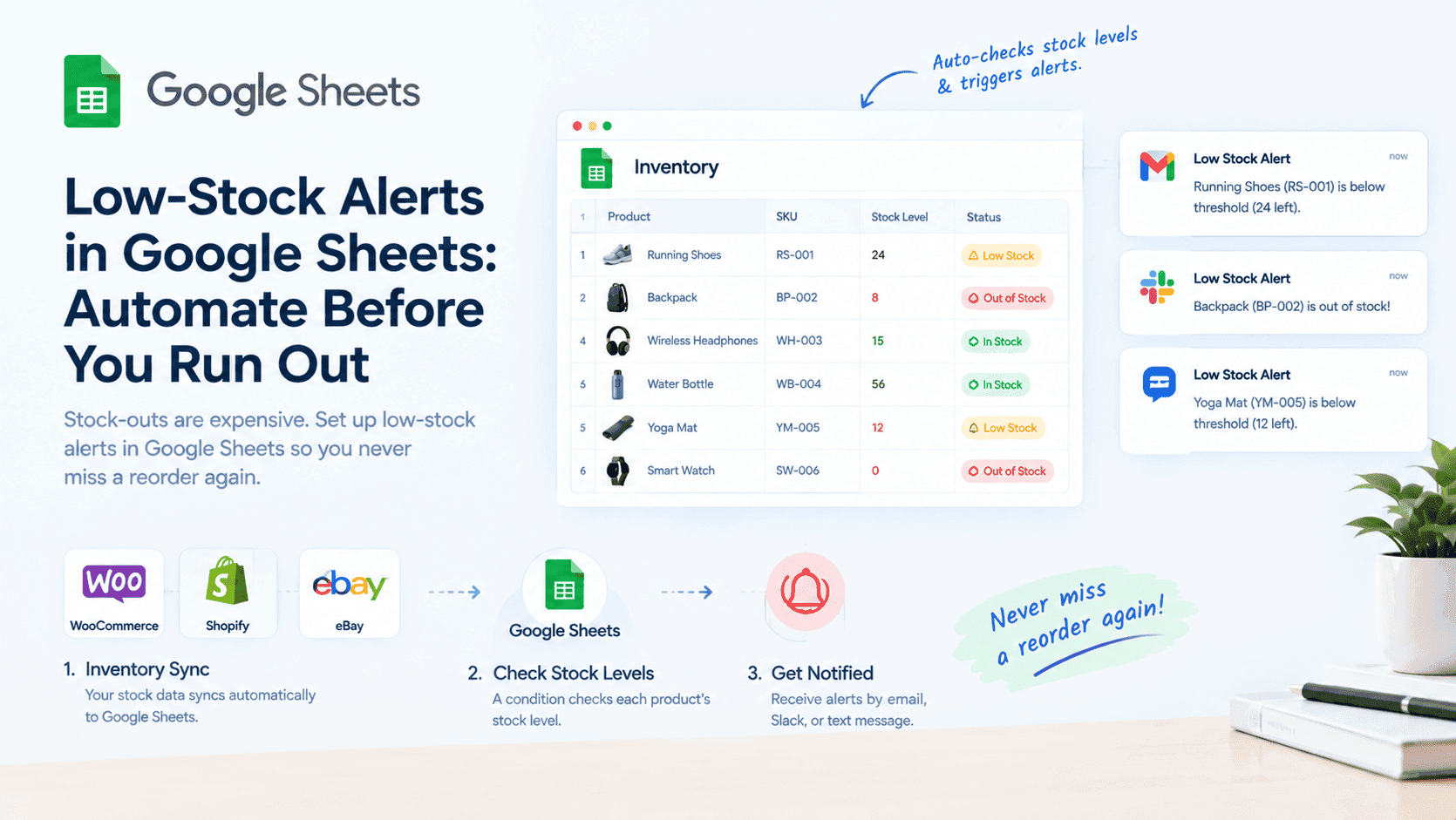
Stock-outs are expensive. They cost you sales. They frustrate customers. And they happen when you're not paying attention.
The solution is automated low-stock alerts. Instead of manually checking inventory levels, let Google Sheets notify you when a product is running low.
At Sutra Analytics, we build custom low-stock alert systems using Google Apps Script. We connect your inventory to Google Sheets and set up automatic notifications so you never miss a reorder.
🔔 Here's how it works: Inventory syncs to Google Sheets → Condition checks each product's stock → If below threshold → Notification sent via email, Slack, or text message
The Cost of Stock-Outs
- Direct Costs: Lost revenue (every sale you can't fulfill is revenue gone forever), Customer churn (50% of customers who experience a stock-out will not return), Reputation damage (social media posts about out-of-stock products)
- Indirect Costs: Expedited shipping costs for restocks, Labor costs for handling complaints, Lost advertising spend for products you can't sell
📈 A 5% stock-out rate can cost a business 20% of its potential revenue.
Setting Up Low-Stock Alerts in Google Sheets - Method 1: Google Apps Script (Our Specialty)
- Open your Google Sheet
- Go to Extensions → Apps Script
- Create a script that checks stock levels
- Use MailApp.sendEmail() to send alerts
- Set up a time trigger to run daily
Method 2: Conditional Formatting for Visual Alerts
- Select your stock column
- Go to Format → Conditional Formatting
- Set condition: 'Less than' and enter your threshold
- Choose a format (e.g., red background)
- Products will change color when stock is low
Method 3: Using n8n or Zapier
- Set up Google Sheets as the trigger app
- Choose 'New Row' or 'Updated Row' as the event
- Add a filter: Only proceed if stock < threshold
- Add an action app (Email, Slack, SMS)
- Map the product name and stock level to the notification
- Test and activate
Threshold Setting Guidelines (We Help You Set These)
- Fast-moving products: Reorder when stock reaches 2-3 weeks of sales
- Slow-moving products: Reorder when stock reaches 4-6 weeks of sales
- Seasonal products: Adjust thresholds before peak season
- New products: Track closely with a lower threshold
What to Include in Your Low-Stock Alert (We Build For You)
- Product Name
- SKU
- Current Stock Level
- Reorder Point
- Supplier Name and Contact
- Lead Time
- URL to Purchase Order Form
No more stock-outs. No more lost sales. Just a simple system that keeps your inventory at the right level.
Need Low-Stock Alerts?
Let Sutra Analytics build you a custom low-stock alert system in Google Sheets. We use Google Apps Script to monitor your inventory and notify you before you run out. Contact us today for a consultation.
— Sutra Analytics Team