
Build a Real-Time Inventory Tracker in Google Sheets
Spreadsheets are great for tracking inventory — if they're updated automatically. Here's how to build a real-time inventory tracker in Google Sheets.
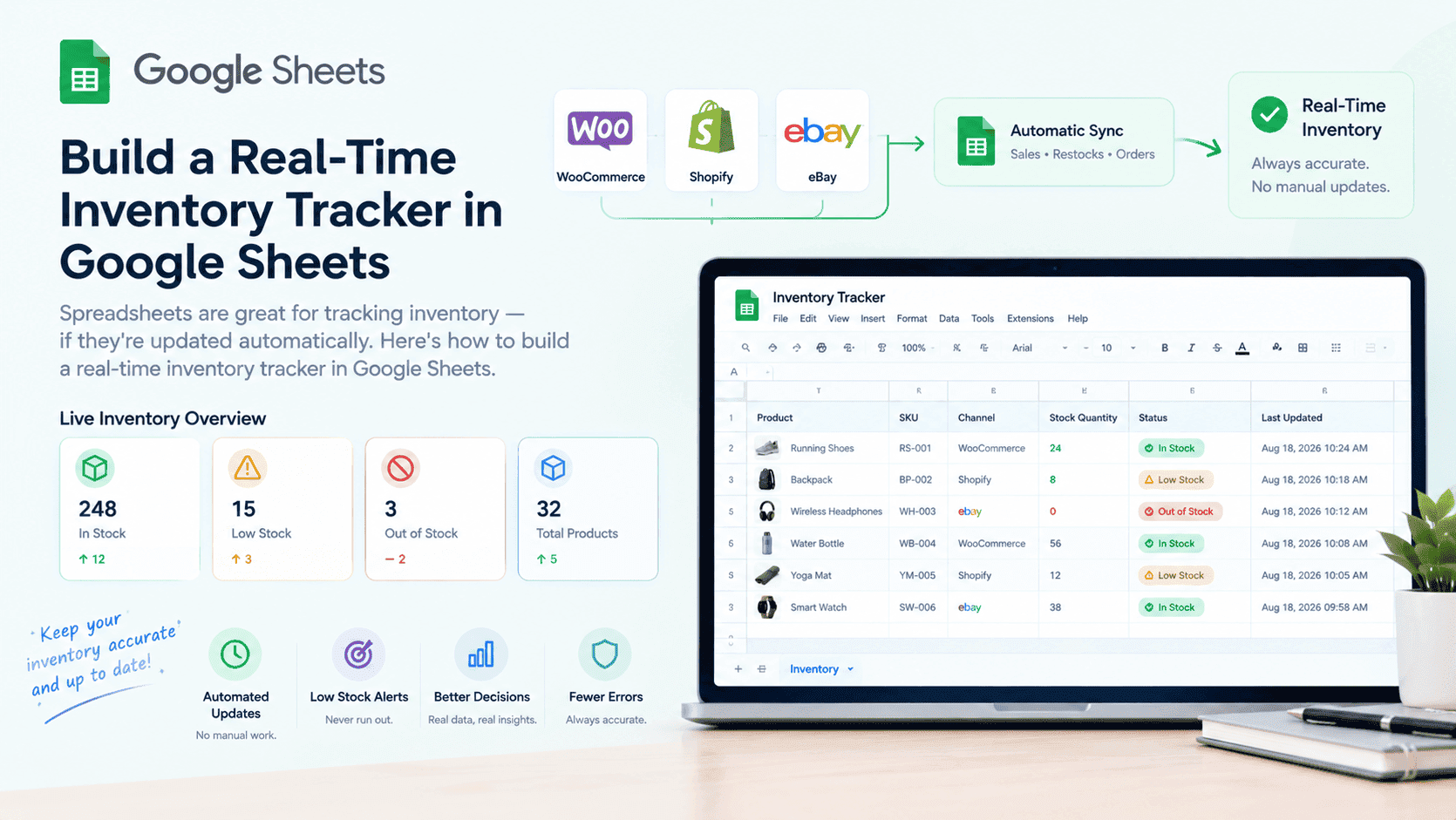
A real-time inventory tracker gives you a live view of your stock across all channels. You can see what's low, what's selling, and what's overstocked. And when that tracker lives in Google Sheets, you get something even better: a single, always-current source of truth that anyone on your team can open from any device, anywhere, without installing anything.
Google Sheets is free, reliable, secure, and cloud-based — which makes it an ideal home for your inventory data. There's no server to maintain, no software license to buy, and no version conflicts to worry about. Everyone sees the same numbers at the same time. And if your needs ever outgrow the free tier, upgrading to Google Workspace is affordable and gives you even more storage, controls, and collaboration features.
At Sutra Analytics, we build custom real-time inventory trackers in Google Sheets using Google Apps Script. We connect your sales channels, update stock levels automatically, and give you a live dashboard. Google Sheets acts as the mediator — the central layer where data from all your channels lands, gets processed, and stays ready for reporting. That means you get the flexibility of a spreadsheet with the power of an automated system.
📊 Here's how we build one in Google Sheets: Connect your sales channels → Create a master sheet with products and stock → Automatically subtract on sale → Automatically add on restock → Result: Live, always-accurate inventory — all inside Google Sheets
Why Google Sheets Is the Perfect Mediator for Inventory Data
- Free to use: No licensing costs for you or your team — Google Sheets is available at no charge for most business needs
- Cloud-based: Your inventory data is accessible from any device, anywhere, at any time
- Reliable: Google's infrastructure keeps your sheet available and synced, with automatic saving
- Secure: Built-in access controls, sharing permissions, and encryption protect your data
- Real-time collaboration: Multiple team members can view or edit the same sheet simultaneously
- Affordable to scale: If you need more storage or enterprise controls, Google Workspace is very reasonably priced
- Acts as a central hub: Sales channels, suppliers, and internal teams all feed into one Google Sheet, eliminating silos
Key Components of an Inventory Tracker (We Build For You)
- Product Master List: All your products with SKUs, names, categories, and suppliers
- Stock Levels: Current stock quantities per product
- Restock Alerts: Thresholds that trigger low-stock notifications
- Sales Data: Products sold, quantities, and dates
- Purchase Orders: Orders placed with suppliers
- Receiving Data: Products received from suppliers
- Return Data: Products returned by customers
- Inventory Adjustments: Manual adjustments for damaged or lost products
Step-by-Step Setup (We Handle This For You)
- Step 1: Create Your Product Master Sheet in Google Sheets with columns for Product ID, SKU, Name, Category, Supplier, Unit Cost, Selling Price, Current Stock, Minimum Stock, Maximum Stock, Last Updated
- Step 2: Set Up Data Connections using WooCommerce API, Shopify API, eBay API, or Amazon API — all feeding into your Google Sheet
- Step 3: Add Sales Deduction Logic using Google Apps Script, formulas, or scheduled triggers that update the Google Sheet automatically
- Step 4: Add Restock Logic to trigger reorders automatically when Google Sheets detects stock below threshold
- Step 5: Add Dashboard Views in Google Sheets for warehouse, purchasing, and management teams
Advanced Features We Build
- Inventory Value Calculation: Total value = sum(Current Stock × Unit Cost)
- Turnover Rate: How quickly inventory is sold
- Days of Inventory: How many days your stock will last
- ABC Analysis: Categorize products by value (A=high, B=medium, C=low)
- Seasonal Adjustments: Adjust inventory levels for seasonal demand
- Supplier Lead Time: Track how long it takes to restock
Common Pitfalls to Avoid (We Handle)
- Not accounting for returns or damaged products
- Forgetting to update pricing when costs change
- Not handling multiple warehouses
- Not backing up your data
- Making the sheet too complex for users
Your inventory tracker should be simple enough for anyone to use, but powerful enough to provide valuable insights. Google Sheets gives you that balance. It's free, reliable, secure, and cloud-based — so your team can focus on selling, not on managing software. And because Google Sheets is so widely used, onboarding new team members is effortless.
Need a Real-Time Inventory Tracker?
Let Sutra Analytics build you a custom real-time inventory tracker in Google Sheets. We connect your sales channels and keep your inventory accurate automatically. Contact us today for a consultation.
— Sutra Analytics Team