
WooCommerce Order Automation: A Practical Guide
WooCommerce order management doesn't have to be manual. Here's how to automate order status updates and save your team hours every week.
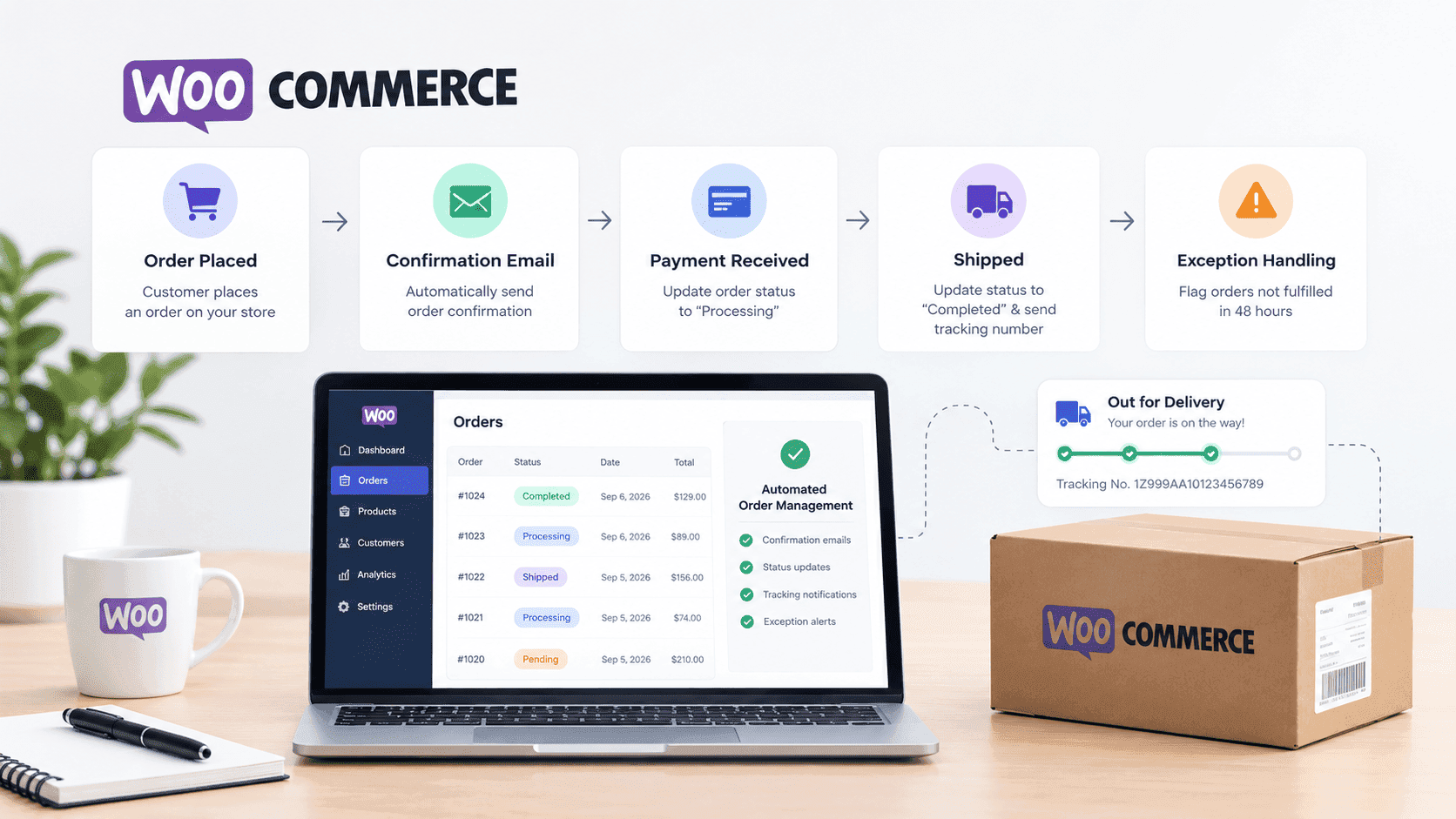
Managing WooCommerce orders manually is a time-consuming process. An order comes in, someone checks it, updates the status, sends a confirmation, and then monitors it through the fulfillment process.
Each step requires human intervention. Each step is an opportunity for error. Each step slows down your fulfillment.
The solution is automation.
At Sutra Analytics, we build complete WooCommerce order automation systems using Google Apps Script and custom integrations. Here's how we set it up for our clients:
🚀 Pro Tip: Start with order confirmation. When a customer places an order, automatically send them a confirmation email. This is simple to set up and eliminates a manual task.
5 Order Automation Workflows You Can Set Up in 1 Day
- Order Confirmation: New order → Send branded confirmation email
- Payment Status Update: Payment received → Change status to 'Processing'
- Fulfillment Tracking: Order shipped → Update to 'Completed' + send tracking
- Abandoned Recovery: Order pending > 1 hour → Send reminder with discount
- Overdue Alert: Order in 'Processing' > 48 hours → Alert team via Slack
How Sutra Analytics Implements WooCommerce Order Automation:
We use a combination of Google Apps Script and custom webhooks to create a fully automated order management system. Here's the complete workflow we build for our clients:
Complete Order Automation Workflow (Built by Sutra Analytics)
- Step 1: Order Received → Automatically logs to Google Sheets with timestamp
- Step 2: Customer Notification → Auto-sends personalized order confirmation email
- Step 3: Order Status Update → Auto-updates WooCommerce status from 'Pending' to 'Processing'
- Step 4: Fulfillment Tracking → Auto-updates to 'Completed' with tracking number
- Step 5: Inventory Sync → Auto-deducts stock from inventory
- Step 6: Slack Notification → Auto-notifies your team when an order needs attention
- Step 7: Weekly Summary → Auto-generates weekly order report emailed to you
The Google Apps Script Solution:
We use Google Apps Script to connect WooCommerce, Google Sheets, Gmail, and Slack into one seamless automation. The script runs on a trigger, checks for new orders, and executes the entire workflow automatically. This approach requires no third-party tools and keeps all your data in one place.
Customization Options We Offer
- Custom email templates with your branding
- Custom status workflows for your specific business needs
- Multi-warehouse inventory tracking
- Integration with your shipping providers
- Custom reporting and analytics dashboards
- ERP and accounting software integration
Common Mistakes to Avoid When Automating Orders
❌ Not testing with real orders before going live | ❌ Forgetting edge cases (refunds, cancellations) | ❌ Sending too many emails | ❌ No error notifications | ❌ Over-automating and losing the human touch
Best Practices for Order Automation (We Follow)
- Send only 3-4 order-related emails (confirmation, shipped, delivered, feedback)
- Use personalized subject lines (include customer name and order number)
- Include clear next steps and a way to contact support
- Set up a testing environment to simulate orders
- Monitor order automation logs weekly for issues
- Always include error handling and fallback notifications
Next, automate status updates based on payment confirmation. When payment is received, automatically change the order status from 'pending' to 'processing.'
Connect your fulfillment process. When you ship the order, automatically update the status to 'completed' and send a tracking number.
Automate the exceptions. If an order hasn't been fulfilled in 48 hours, automatically flag it for review.
💰 The ROI is clear: faster fulfillment means happier customers. And happier customers mean more repeat business. Studies show that customers who receive fast shipping notifications are 60% more likely to purchase again.
Why Choose Sutra Analytics for Your WooCommerce Automation?
We don't just set up automations — we build custom solutions tailored to your specific business needs. Whether you need a simple order tracking system or a complex multi-channel fulfillment automation, we can build it. Our solutions are reliable, scalable, and built to grow with your business.
Need Custom WooCommerce Automation? Contact Sutra Analytics
If you want a fully customized order automation system that handles everything from order receipt to fulfillment tracking, we can build it for you. We use Google Apps Script and custom integrations to create solutions that work exactly the way you need. Contact us today for a consultation.
— Sutra Analytics Team